For parish and town councils
One platform for everything your council does online.
Website widgets, a resident app, a clerk console, issue reporting, bookings and local buses, working together and run from one place.
Screenshots on this site show a demonstration council with sample data.
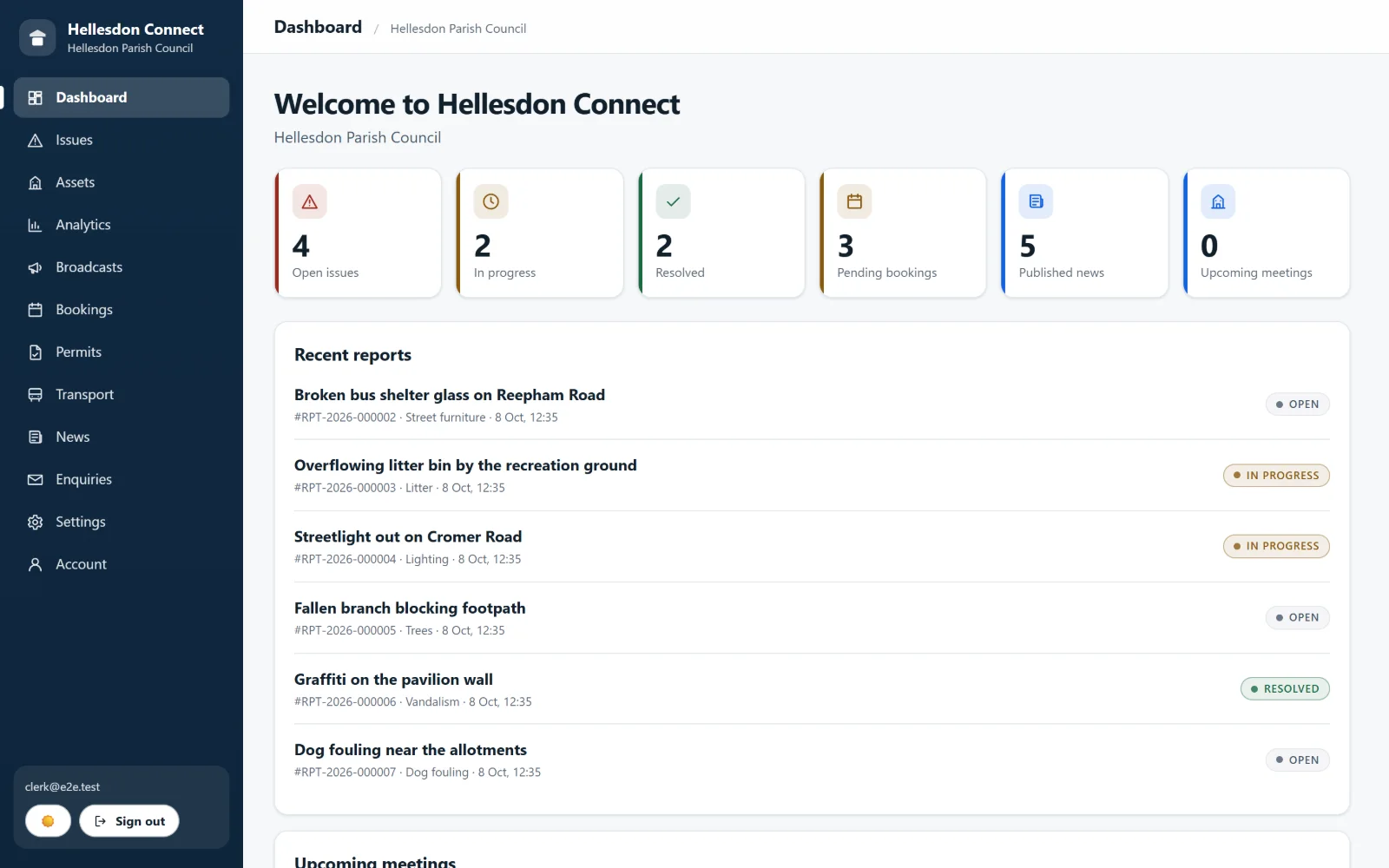
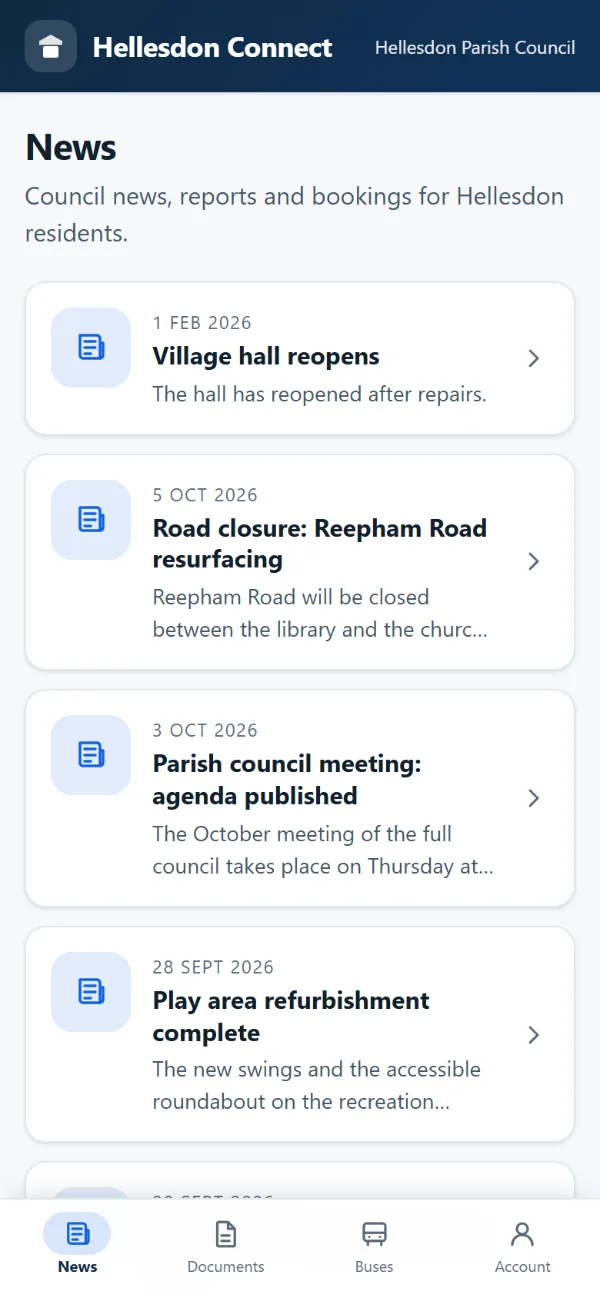
Built for parish and town councils
Clerk-sized workflows, not enterprise software.
Fits your existing website
Add widgets with two lines. No rebuild needed.
Open data underneath
Bus stops and timetables from national open data.
Accessibility tested on every change
Checked in a real browser against WCAG 2.2 AA rules.
How it works
From sign-up to a working council in three steps
- 1
We set up your council
Your name, colours and logo, your clerk accounts and your first content. The platform is yours from day one.
- 2
Connect your website and residents
Paste two lines into your current website to show buses and alerts, and point residents to your branded app.
- 3
Run it all from one console
News, reports, bookings and alerts are managed in one place, so the clerk works in one tool rather than five.
Clerk console
Everything the clerk deals with, in one queue
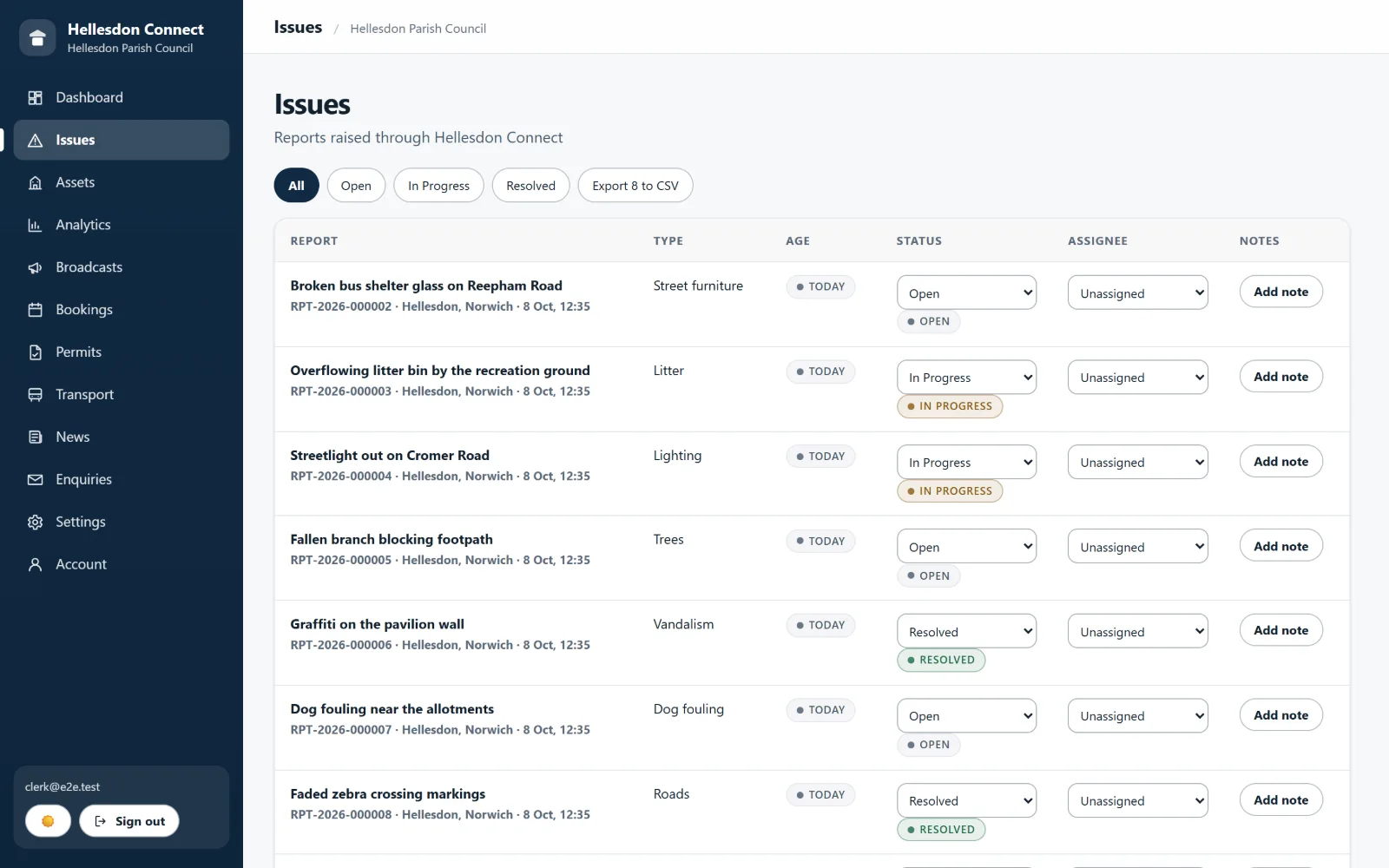
Reports, bookings, news and alerts sit side by side. See what needs attention, assign it, add a note and close it, with every change recorded.
- Filter reports by status, assign them and keep private notes.
- Role-based access and an audit log of changes.
- Export reports to CSV for the council meeting.
Issue reporting
Residents report problems in a minute, and see them through
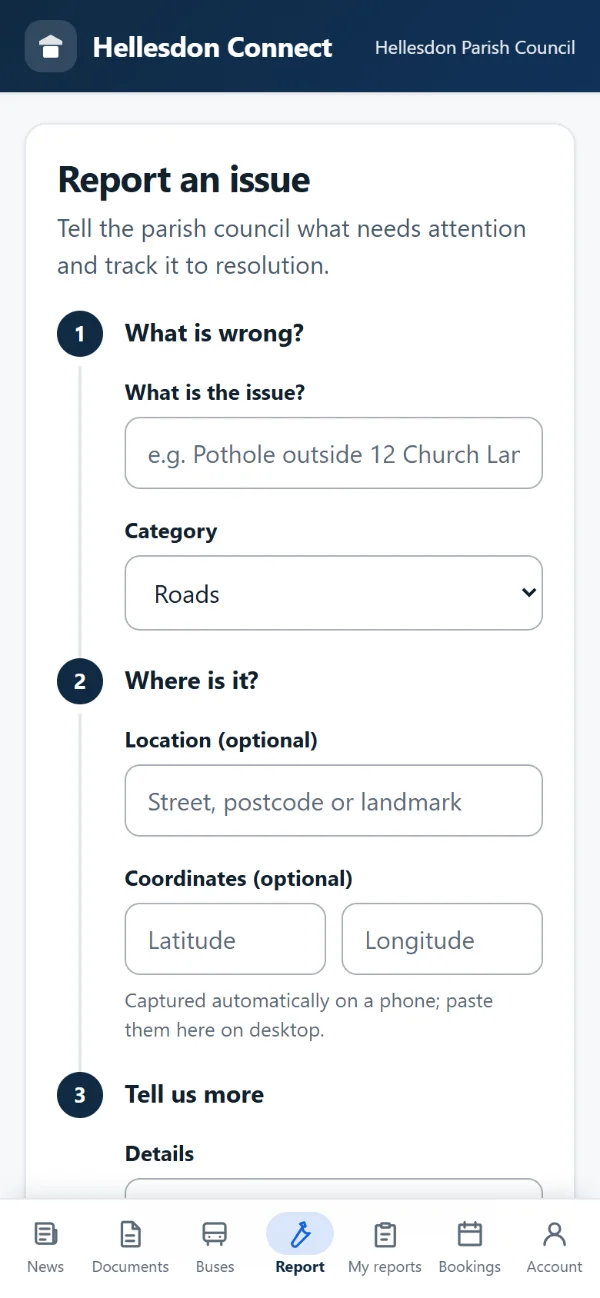
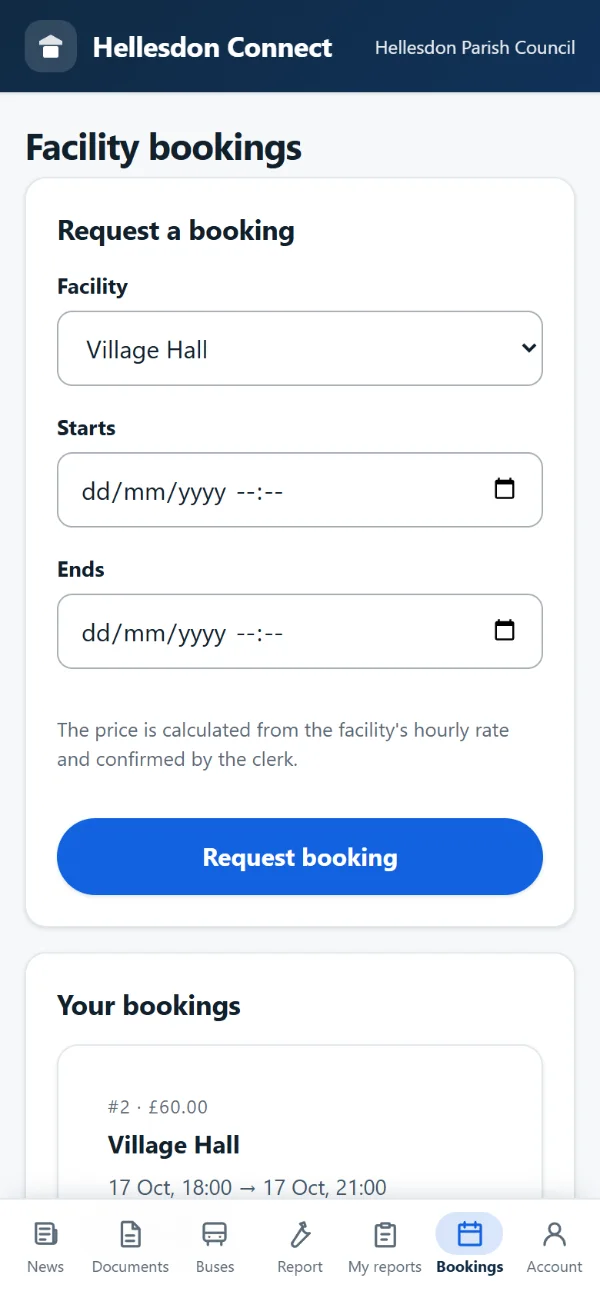
A simple step-by-step form on a phone: what is wrong, where it is and any detail. The report arrives in your queue with a reference, and the resident can follow its progress.
- Location by address or map coordinates.
- A reference number for every report.
- Status updates the resident can check at any time.
Buses on your own website
Show your bus stops and buses with two lines of code
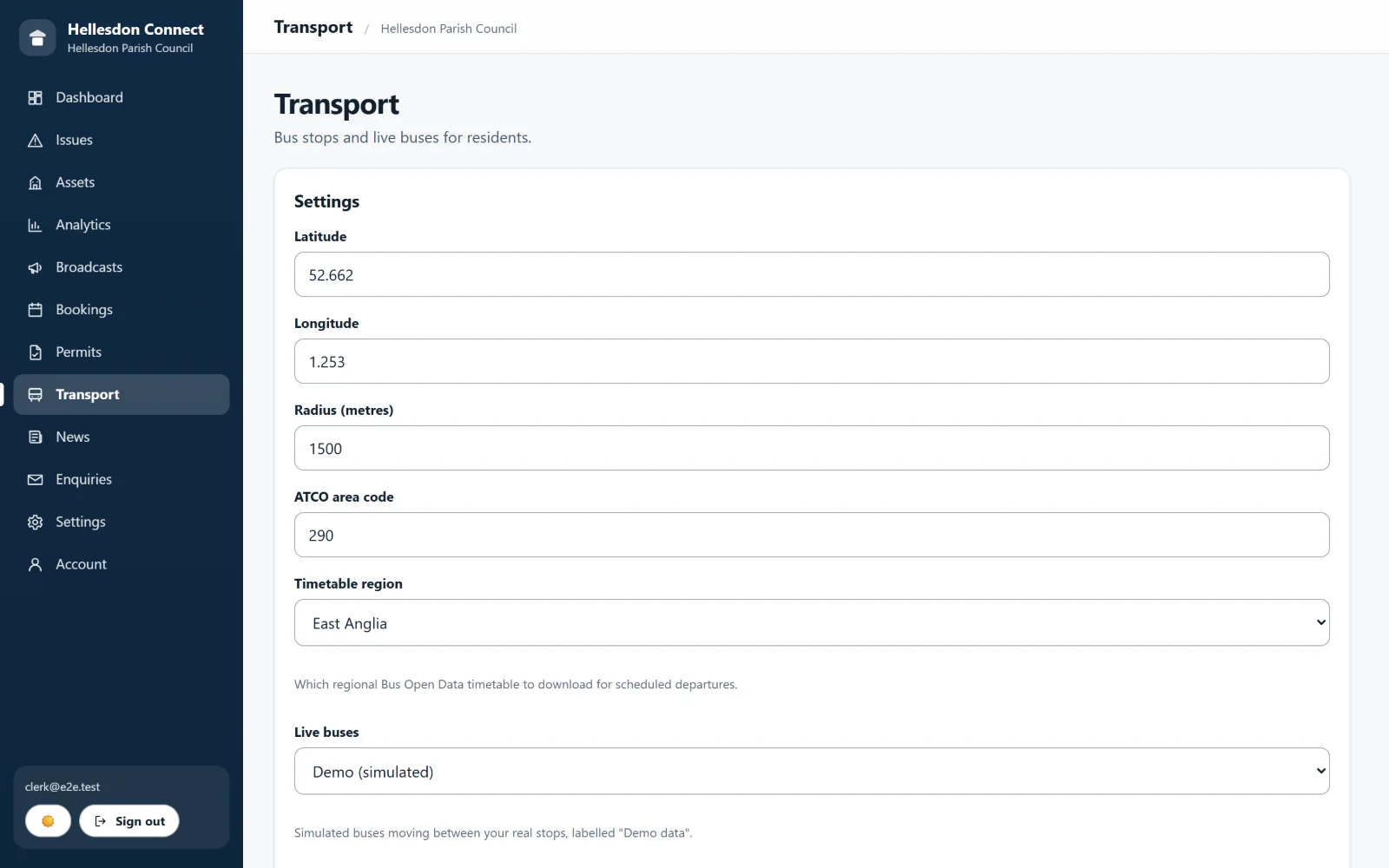
Import the stops in your parish from the national stop database, publish service alerts, and show residents the next buses. It works inside the website you already have, and a broken shelter becomes an ordinary report in the clerk’s queue.
- Built on open national data, with no cost per lookup.
- Scheduled times from the national timetable; live positions where operators publish them.
- No cookies, and it cannot break your page.
Live demo
This is the real widget, running on this page
Search for a stop and try “Next buses”. Buses shown here may be simulated demonstration data.
Two audiences, one platform
Less admin for the clerk. Less friction for residents.
For clerks
- One console for reports, bookings, news, alerts and documents.
- Resident reports arrive structured, with a location and a reference.
- Fewer phone calls asking “is the hall free?” or “did you get my report?”
- Publish once and reach the website and the app.
For residents
- Council news, documents and bus information in one place.
- Report a problem from a phone and follow it to resolution.
- Book the hall or the pitch online and see the status.
- Clear, readable screens that meet contrast guidelines.
Pricing
Simple monthly pricing, sized for a parish budget
Clerk console and website
£99 a month
The console, a council website, documents and meetings.
Complete platform
£199 a month
Everything above, plus the branded resident app, issue reporting and alerts.
Do we have to replace our current website?
No. The buses and alerts widget goes onto your existing site with two lines of code. A new council website is available as part of the Clerk console and website plan if you want one.
Can residents use it without an account?
Yes for reading news and documents and for seeing buses and stops. Reporting an issue and making a booking need a free resident account, so the clerk can reply and keep the record.
Are the bus times live?
Next-bus times come from the national timetable, shown as scheduled. Live vehicle positions use the Bus Open Data Service and depend on what each operator publishes. The screen always says which it is showing.
How does reporting an issue work?
A resident describes the problem, adds a location and sends it. It lands in the clerk’s queue with a reference number, can be assigned and updated, and the resident can follow its status.
Is it accessible?
We test every screen automatically in a real browser against WCAG 2.2 AA rules, including colour contrast. Automated checks do not catch everything, so we also welcome feedback from your residents.
How much does it cost?
Plans start at £99 a month. See the pricing page for what is included, or book a demo and we will talk it through.
See it running with your council’s name on it
A short demo, no obligation. We will show the clerk console, the resident app and the buses widget.